

If you have scrolled through TikTok, Instagram, or Amazon in the last couple of years, you have almost certainly seen a Magcubic projector. The little white cube that promises a “cinema on your ceiling” for the price of a nice dinner has become one of the most recognizable faces of the budget-projector boom. But the one question every buyer actually has is simple: is a Magcubic projector genuinely worth buying, or is it just a viral gadget wrapped in inflated marketing numbers?
The honest answer is: it depends entirely on how you plan to use it, and on whether you can see past the specification sheet. Magcubic makes some of the best-value tiny projectors you can buy today, but the brand also leans hard into the “8000 lumens, 8K, 4K” language that defines this entire category. In this review we cut through the noise, translate the marketing into real-world numbers, and tell you which model actually deserves your money in 2026.
PrimeVouch Score: 8.1 / 10
Best for: Bedroom, dorm-room, and backyard-after-dark movie nights where you want a huge screen, smart-TV apps built in, and a genuinely low price, and where you can control the ambient light.
What we loved:
- Outstanding price-to-screen-size ratio; nothing else gets you a 100-inch image this cheaply.
- Built-in Android with Wi-Fi, so it works out of the box without an extra streaming stick for most people.
- Genuinely portable and light, with auto-keystone and (on newer models) autofocus that make setup painless.
- A wide, frequently updated model range, so there is usually a version that fits your exact budget.
Watch out for:
- Brightness claims are heavily inflated; the “lumen” numbers on the box are not ANSI lumens and should be mentally divided by a large factor.
- “4K” and “8K” refer to input support, not the native panel, which is usually 720p or 1080p.
- Daylight performance is poor; these are dark-room devices, full stop.
- Native app support (especially licensed Netflix) can be hit or miss on the cheapest Android builds.
What makes Magcubic different
Magcubic is a Shenzhen-born brand that rode the wave of the now-famous “HY300” reference design, a compact Android smart projector platform built around Allwinner chipsets. Dozens of no-name sellers ship near-identical HY300 units, but Magcubic has done something most of them have not: it built an actual brand around the design. That means a real storefront at magcubic.com, a proper warranty and returns policy, region-based shipping, and a steadily expanding lineup rather than a single mystery box.
That distinction matters more than it sounds. When you buy a generic HY300 from an anonymous marketplace listing, you are gambling on firmware quality, app compatibility, and whether anyone will answer an email if it breaks. Magcubic’s advantage is not that its hardware is radically different from the reference platform; it is that the company stands behind the units, keeps the Android software reasonably current (recent models advertise Android 11 and even Android 14), and offers a coherent ladder of products from ultra-cheap minis to brighter home units.
The second thing that defines Magcubic is aggressive value. The company competes almost entirely on price and screen size. You are not buying a Magcubic for color accuracy or laser brightness; you are buying it because it turns a blank wall into a huge screen for a fraction of what a TV of the same size would cost. Understanding that framing is the key to being happy with one.
The star product
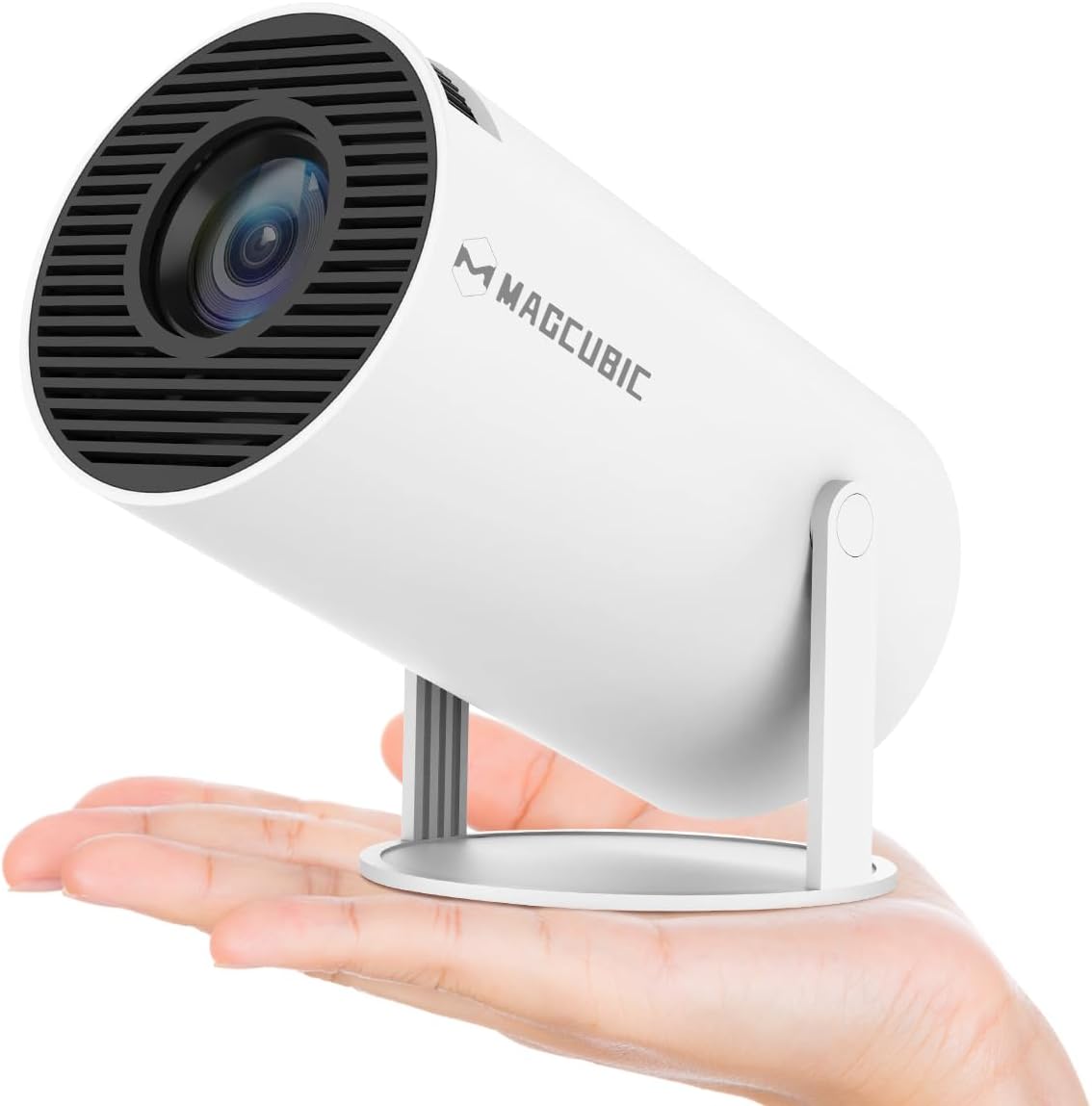
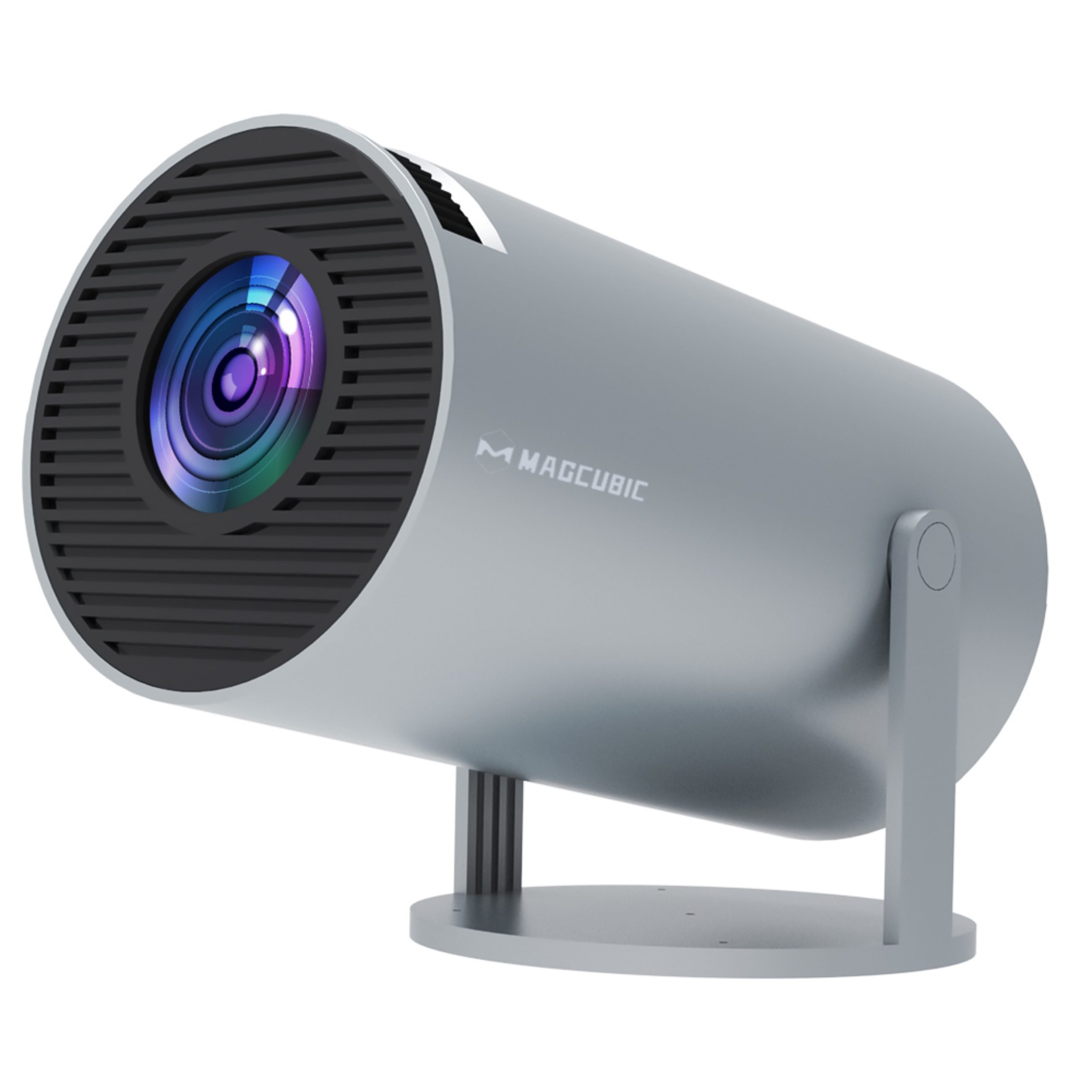
The model that made the brand famous is the HY300, and its most sensible modern version is the Magcubic HY300 Pro (and the closely related HY300 Pro+). This is the quintessential Magcubic experience: a palm-sized white cube weighing under a kilogram, with a built-in Android system, Wi-Fi 6 and Bluetooth 5.4 on the newer revisions, auto-keystone correction, and a 5W speaker good enough for casual viewing in a quiet room.
Here is where honesty matters. The HY300 Pro has a native resolution of 1280×720 (720p). The “4K” or “8K” you see in the product name and title refers to the input signal it can accept and downscale, not the resolution of the image it actually paints on your wall. If you feed it a 4K file, it will play it, but it displays it at 720p. For a 60-to-100-inch image in a dark room, 720p is more watchable than skeptics expect, but it is not a sharp, crisp 1080p or 4K picture, and you should set your expectations accordingly.
The brightness story is similar. Magcubic markets the HY300 Pro with numbers that sound enormous, but the honest, real-world figure sits at roughly 200 ANSI lumens. In plain English, that is enough for a dark bedroom, a blacked-out den, or a backyard after the sun has fully set. It is not enough to fight daylight or bright room lighting. Point it at a wall at noon with the curtains open and you will see a faint, washed-out ghost of an image. This is not a defect; it is the physics of a tiny, cheap LED light engine, and it is true of essentially every projector in this price class.
What the HY300 Pro does brilliantly is deliver a genuinely enjoyable big-screen experience for almost no money, in the right conditions. Auto-keystone means you can plop it on a nightstand at an angle and still get a rectangular image. The built-in Android handles YouTube, streaming, and screen mirroring without an extra device for most users. And because it is so small and light, it travels easily between rooms, to a friend’s house, or out to the patio. As a “movie night” appliance rather than a serious home-theater component, it punches far above its price.
Check the latest HY300 Pro price
The rest of the range
Magcubic’s lineup has grown well beyond the original cube. Here is how the key families stack up, from the smallest portables to the brighter home units.
HY300 series (HY300 Pro, Pro+, X, Max, F)
The entry point and the most portable family. These are the classic 720p-native mini cubes with Android, auto-keystone, and Wi-Fi. The Pro and Pro+ are the mainstream picks; the Max and F variants push brightness a little higher and add newer Android builds. Choose this series if absolute portability and the lowest price are your priorities, and you accept 720p in a dark room.
HY310 series (HY310, HY310X)
A step up that moves to a native 1080p panel with meaningfully higher advertised brightness (the HY310X touts around 420 ANSI). If you want the small form factor but a sharper native image than the 720p HY300, the HY310 line is the logical upgrade, and it usually stays affordable.
HY320 series (HY320 mini, HY320F, HY320 Pro)
This is the HY300’s spiritual successor and, for most people, the smarter buy. The HY320 family runs native 1080p, adds around 400 ANSI lumens of real brightness, ships with newer Android (up to Android 14 on the Pro), and improves auto-keystone and autofocus reliability. It costs a bit more than a base HY300, but the jump from 720p to native 1080p plus the extra brightness is exactly the upgrade most buyers actually feel.
HY350 and HY450 series (plus X7 and L018)
These are the brighter, larger “home” models. The HY350 range (including the popular HY350 Max at around 600 ANSI) and the HY450 range (up to roughly 1100 ANSI on the Max and GT) are aimed at people who want a projector that can cope with a little more ambient light and serve as a primary living-room screen. The X7 and the 180-degree-rotating L018 sit alongside them as feature-rich 1080p home options. If your room is not pitch black, or you want your projector to be a semi-permanent fixture rather than a portable toy, look here rather than at the mini cubes.
Browse the full Magcubic range
How to choose / get the best picture
Choosing the right Magcubic is really about matching the model to your room and your expectations. Ask yourself two questions: how dark can you make the room, and how sharp does the image need to be?
If you can achieve true darkness (curtains drawn, lights off, or full night outdoors) and you mainly want the cheapest possible giant screen, an HY300 Pro or HY320 mini is perfect. If your room has some light leak, or you plan to watch with a lamp on, step up to a brighter home model in the HY350 or HY450 family. If image sharpness matters to you, skip the 720p HY300 entirely and start with a native-1080p model like the HY320 Pro.
To actually get the best picture out of any Magcubic, follow a few simple rules. First, control your light; even a 900-lumen home model looks dramatically better with the lights off. Second, project onto a clean, flat, matte white surface; a dedicated white or grey projector screen will visibly improve contrast over a textured wall. Third, keep the throw distance in the recommended range (roughly 1.5 to 2.5 meters for a comfortable 80-to-100-inch image on most models) rather than pushing to the maximum size, because stretching the image thinner also makes it dimmer. Fourth, place the unit on a stable, level surface or a small tripod so auto-keystone has less work to do, which keeps the image sharper. Finally, if native app support disappoints, plug in a cheap streaming stick over HDMI; it sidesteps most of the software limitations of the built-in Android.
Watch: Magcubic in action
Seeing one of these projectors on a real wall is worth more than any spec sheet. The hands-on review below walks through setup, the Android interface, and real image quality in a dark room, which is exactly the context these devices are built for.
Magcubic vs alternatives
Magcubic is not the only player in the budget-projector space. Here is how it compares, in broad strokes, against two other common types of budget option. Exact specs vary by exact model, so treat this as a category-level comparison rather than a spec-for-spec table.
| Feature | Magcubic (HY320 Pro class) | Generic HY300 clone | Entry name-brand (e.g. mainstream budget 1080p) |
|---|---|---|---|
| Native resolution | 1080p (HY320 Pro); 720p on base HY300 | Usually 720p | 1080p |
| Real brightness | Moderate for the price (dark-room focused) | Low; often overstated | Often higher / more honestly rated |
| Smart OS | Built-in Android (up to 14) | Variable, often outdated firmware | Sometimes Android TV licensed |
| Brand support / warranty | Yes, real storefront and warranty | Minimal or none | Yes |
| Price | Very low | Lowest | Higher |
The takeaway: a generic clone may be a few dollars cheaper, but you give up firmware quality and support. A bigger name brand may offer more honest brightness and licensed streaming, but usually costs noticeably more. Magcubic sits in the sweet spot for buyers who want the low price and viral form factor with an actual company behind it.
Price & value
Value is where Magcubic wins its arguments. The mini HY300 models routinely sit at the very bottom of the projector market, and even the native-1080p HY320 and brighter home models remain a fraction of the cost of a comparably sized television. When Magcubic runs its seasonal sales and stacking coupon codes, the effective prices drop further still.
The value proposition is straightforward: no other consumer device turns a bare wall into a 100-inch screen this cheaply. If you judge a Magcubic against a real home-theater projector, it will lose on brightness, sharpness, and color. But if you judge it against the alternative of simply not having a giant screen at all, or paying many times more for a large TV, it looks like a bargain. The trick is buying the right model so you are not disappointed, and buying it on sale so you capture the full value. We only recommend paying attention to confirmed, current pricing at the point of sale rather than any single quoted figure, because Magcubic’s prices and discounts shift frequently.
Who should buy — and who should not
A Magcubic is an easy recommendation for the right person and a poor choice for the wrong one. Be honest with yourself about which group you fall into.
You should buy a Magcubic if you want an inexpensive, portable big-screen for a dark bedroom, a dorm, or backyard nights; if you value the plug-and-play Android experience; if you are a casual viewer who cares more about screen size and price than about pixel-peeping sharpness; or if you want a fun, low-risk gift. For these uses, especially with a native-1080p HY320 or a brighter HY350 model, satisfaction is high.
You should not buy a Magcubic if you need a projector that works in a bright or daylit room; if you are a serious movie or sports enthusiast who will notice softness and washed-out color; if you expect the box-stated “8000 lumens” and “8K” to be literal; or if flawless licensed Netflix on the built-in OS is a dealbreaker (in which case, plan to add a streaming stick). If any of those describe you, spend more on a brighter, higher-resolution projector rather than being let down by a budget unit.
Honest limits
Let us be blunt about the ceiling of these devices, because glossing over it does no one any favors. The single biggest limitation is brightness. Every mini Magcubic is a dark-room device; ambient light is its enemy, and the marketing numbers will not save you from that reality. Second is native resolution: the cheapest models are 720p, and no amount of “4K support” changes the pixels on the panel.
Beyond that, expect modest color accuracy out of the box, a small mono speaker that most people will eventually supplement with a Bluetooth speaker, and an Android build that, while usable, is not the polished licensed Android TV experience you get on premium streamers. Fan noise is present but generally acceptable in a quiet room. And because these are inexpensive mass-market units, individual quality can vary, which is exactly why buying from Magcubic with a real warranty, rather than an anonymous clone, is worth the small premium. None of these are dealbreakers at the price, but you deserve to know them before you buy, not after.
Magcubic discount codes & deals
Magcubic almost never sells at “full” price for long. The brand runs frequent seasonal sales, flash-sale countdowns, and stacking coupon codes that scale with your order total, so the number you should care about is the checkout price after discounts, not the crossed-out “regular” price. Because those codes and sale events change constantly, the smartest move is to check the current live offers before you buy rather than trusting any figure quoted in an old review.
We keep an eye on the best available Magcubic pricing so you do not have to hunt for it. If you have decided a Magcubic is right for you, the single best thing you can do is time your purchase to an active sale and apply whatever order-total coupon is running that week.
Shop the latest Magcubic deals and discount codes here
Frequently asked questions
Is the Magcubic HY300 really 4K?
No. The HY300 and HY300 Pro have a native 720p panel. The “4K” (and on some models “8K”) in the name refers to the maximum input signal the projector can accept and then downscale to its native resolution. You can play a 4K file, but the image on your wall is 720p. For native 1080p, look at the HY320 or HY310 series instead.
How bright is a Magcubic projector really?
Far less bright than the box implies. The huge “lumen” figures in the marketing are lux-based or otherwise non-standard numbers, not ANSI lumens. Real-world output for the mini HY300 Pro is around 200 ANSI lumens, with the HY320 class near 400 ANSI and the brighter home models (HY350, HY450) reaching several hundred to roughly 1100 ANSI. All of them look best in a dark room.
Can I use a Magcubic in daylight?
Not well. Even the brighter home models struggle against strong ambient light, and the mini cubes are effectively unusable in daylight. Treat any Magcubic as a night-time or blacked-out-room device. If you need daytime viewing, this category is not the right choice.
Does Netflix work on Magcubic?
It varies by model and firmware. Some units run Netflix acceptably through the built-in Android; others have licensing or app-compatibility quirks that limit resolution or require workarounds. The reliable fix is to plug an inexpensive streaming stick into the HDMI port, which bypasses the built-in OS entirely for streaming apps.
Is Magcubic a legit brand or just a rebadged clone?
Magcubic builds on the widely shared HY300 reference platform, so the hardware is related to many clones, but Magcubic is a real brand with its own storefront, warranty, returns policy, and an expanding product line. Compared with buying an anonymous clone, you get better firmware support and actual after-sales service, which is why we recommend it over generic listings.
Which Magcubic model should I buy first?
For most people, the HY320 Pro is the sweet spot: native 1080p, around 400 ANSI lumens, and a current Android build for not much more than the base HY300. If you want the absolute cheapest portable and can live with 720p in the dark, the HY300 Pro is fine. If your room is not fully dark, step up to an HY350 or HY450 home model.
Do I need a screen, or can I project onto a wall?
A smooth, matte white wall works and is what most buyers use. However, a dedicated projector screen (white or light grey) noticeably improves contrast and perceived sharpness for very little money, and it is the single cheapest upgrade you can make to any budget projector’s image.
How to read projector brightness and resolution claims
The most useful skill you can bring to shopping for any budget projector is learning to translate the marketing. Two numbers cause almost all the disappointment in this category: brightness and resolution. Here is how to decode both.
Brightness. The only brightness figure that means anything is ANSI lumens, a standardized measurement of usable light output. When a listing shouts “8000 lumens” or “12000 lux” without the letters “ANSI,” treat that number as marketing, not measurement. Lux-based figures, “light source lumens,” and unlabeled “lumens” are typically several times higher than the real ANSI figure. A safe mental model for this category: if a mini projector claims thousands of lumens, its true ANSI output is probably in the low hundreds. For a dark room, 200 to 400 ANSI is genuinely usable; for a room with some ambient light, you want 600 ANSI or more; for anything approaching daylight, budget projectors simply are not the right tool.
Resolution. Watch carefully for the difference between native resolution and supported (input) resolution. Native resolution is the physical pixel grid of the projector’s panel; it is the real sharpness ceiling. Supported resolution is just the highest signal the device can accept before downscaling. A projector advertised as “4K” or “8K” almost always means supported input, while the native panel is 720p or 1080p. Always hunt for the phrase “native resolution” in the specs; if the listing only trumpets “4K support” and hides the native figure, assume the native panel is lower.
Two more quick tells: contrast ratios in these listings are usually optimistic and best ignored, and “auto-keystone” and “autofocus” are genuinely useful convenience features but say nothing about image quality. If you internalize just the ANSI-lumens rule and the native-versus-supported-resolution distinction, you will buy the right projector, set realistic expectations, and be far happier with whatever you choose, Magcubic or otherwise.