
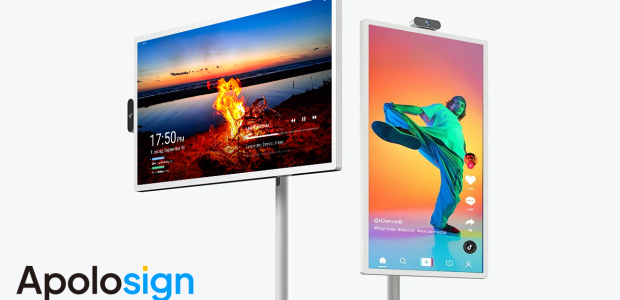

Every family has one: the wall calendar nobody updates, the group chat nobody scrolls back through, the school pickup that two people each assumed the other had covered. ApoloSign builds smart displays designed to attack exactly that problem — big, wall-mounted digital calendar screens that pull everyone’s schedules into one touchscreen hub in the kitchen or hallway, alongside a supporting cast of portable TVs and smart screens for the rest of the house.
We took a close look at the whole ApoloSign range — how the flagship digital wall calendar works day to day, how the app syncing holds up, what the portable TVs and smart displays add, and how the pricing compares with better-known names like Skylight. This review lays out where ApoloSign genuinely earns a spot on your wall, and where you should think twice before mounting one.
PrimeVouch Score: 8.2/10
Best for: Busy households juggling multiple schedules who want a shared, always-visible family calendar without paying premium-brand prices for the screen on the wall.
What we loved:
- The digital wall calendar turns scattered phone calendars into one big, glanceable schedule the whole family actually sees
- Touchscreen plus app sync means kids can check the day on the wall while parents update it from work
- Syncs with the mainstream calendar services families already use, so there’s no starting from scratch
- Pricing generally undercuts the best-known family-calendar brands for comparable screen sizes
- The wider range — portable TVs and smart displays — makes it a one-stop shop for practical home screens
What could be better:
- The brand is younger and less proven than category leaders, so the long-term software support question is open
- Companion-app polish reportedly trails the slickest rivals in places
- A screen on the wall only works if the family keeps feeding it — the hardware can’t fix habits by itself
- Availability of some models and sizes appears to fluctuate, so your preferred configuration may need patience
What makes ApoloSign different
The family-organisation market has split into two camps. On one side sit premium lifestyle brands — Skylight and Hearth being the obvious names — selling beautiful calendar displays at prices that make you wince, sometimes with subscriptions layered on top. On the other side sit DIY solutions: a spare tablet taped to the fridge, a dakboard build, a paper planner. ApoloSign aims straight down the middle: purpose-built family calendar hardware with the touchscreen, wall mounting and app ecosystem of the premium players, at prices much closer to the DIY end.
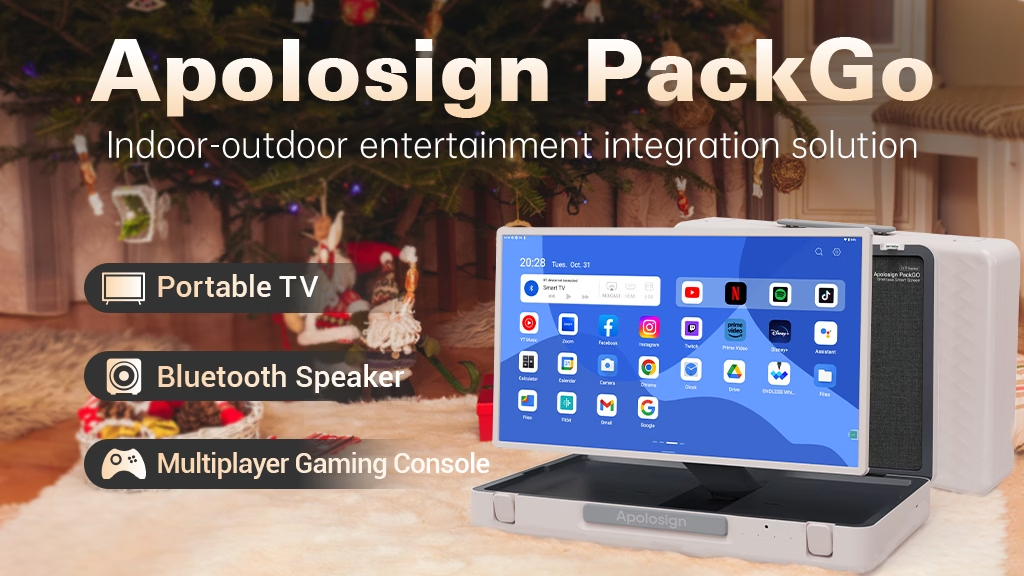
The second differentiator is breadth. ApoloSign isn’t a one-product company; it’s building a small family of practical home screens — the wall calendar, portable TVs you can carry from kitchen to campsite, and general-purpose smart displays. That matters because the brand’s bet is on utility rather than luxury: screens that do a specific household job well, priced so that buying one doesn’t require a family meeting of its own.
The star product: the digital wall calendar
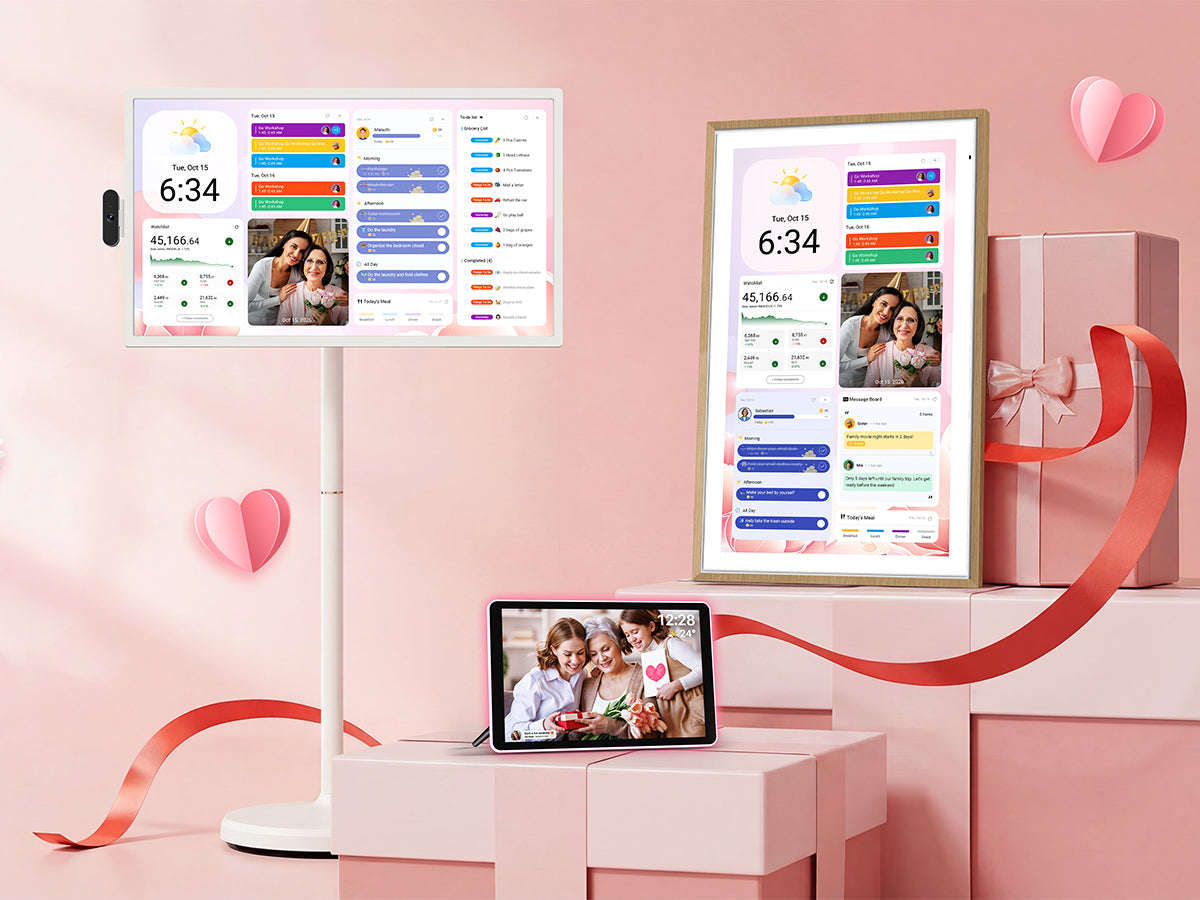
The flagship is the digital family calendar display — a large touchscreen (typically in the 15-inch-and-up class, with bigger options appearing over time) that hangs on the wall or stands on a counter and shows the whole household’s schedule at a glance. It syncs with the calendar accounts your family already lives in, colour-codes each person, and updates in real time as events are added from anyone’s phone. Day, week and month views cover the classic kitchen-command-centre role, and the touchscreen means anyone — including kids — can tap into a day for details without finding a phone.
Beyond raw scheduling, the calendar leans into family-hub features: shared to-do and chore lists, meal planning slots, photo display when idle, and weather at a glance. The idle photo-frame mode is smarter than it sounds — it’s what stops the screen feeling like an office fixture in your kitchen and keeps it from being resented as one more gadget.
Day to day, the experience is what the category promises: the schedule stops living in one parent’s head. Events added from the office appear on the wall before you’re home; the babysitter can see the evening plan without being texted a screenshot; and the eternal “what’s on this weekend?” gets answered by pointing at the hallway. None of that is unique to ApoloSign — it’s the category’s core trick — but ApoloSign delivers it at a friendlier price than the brands that made the category famous.
The rest of the range
Portable TVs
ApoloSign’s portable TVs are battery-friendly, carry-anywhere screens aimed at kitchens, garages, campervans and bedrooms that don’t justify a full TV installation. Built-in stands, streaming-capable smarts and lightweight builds make them the household’s utility screen — recipe videos at the counter, a match in the garden, cartoons on a long weekend away. They’re not trying to out-picture a living-room OLED, and they don’t need to.
Smart displays
The smart display line covers the more general-purpose screens — touchscreen panels that mix dashboard duties, video playback, photo frames and app access. Think of them as the flexible middle child: less specialised than the wall calendar, more capable than a digital photo frame. For a home office wall, a reception desk or a kid’s study corner, they’re the configurable option.
Accessories & mounting options
Around the core screens sits the practical stuff: wall-mount kits and stands for the calendars, plus the cables and fittings that determine whether your install looks intentional or improvised. It’s worth budgeting a few minutes of planning here — a family calendar earns its keep by being unmissable, and placement (kitchen wall, hallway, mudroom) has as much impact on adoption as any software feature.
Price & value
Prices move with promotions and new model releases, so treat the following as rough guidance at the time of writing rather than gospel. The general pattern: ApoloSign’s calendar displays tend to land meaningfully below the equivalent screen size from the premium family-calendar brands, and the portable TVs sit in impulse-purchase territory rather than considered-purchase territory.
| Product | Typical price range | Notes |
|---|---|---|
| Digital wall calendar (15”-class) | Roughly $150–$250 | Watch for holiday-season promotions |
| Larger calendar displays | Roughly $250–$400 | Bigger panels command a premium |
| Portable TVs | Roughly $100–$250 by size | Battery and smart features vary by model |
| Smart displays | Roughly $100–$300 | Depends on size and configuration |
The value comparison that matters is against Skylight, whose calendar hardware often costs substantially more and whose fullest feature set sits behind an optional subscription. If ApoloSign gives you the core loop — shared calendar, app sync, touchscreen, chores — for a chunk less and without mandatory recurring fees, the maths favours it for most families. The counterweight is brand maturity: the premium players have longer software track records. You’re trading some of that assurance for a real cash saving.
How to choose — and get the best results
- Pick the size by viewing distance, not desk logic: a screen read from across the kitchen wants to be as large as your wall and budget allow
- Decide on placement before buying — the highest-traffic wall in the house (kitchen or hallway) beats the prettiest one, every time
- Check that the calendar services your family already uses are supported, and set up one shared family calendar rather than a tangle of personal ones
- Colour-code each family member on day one and add the next two weeks of real events immediately — an empty calendar on the wall trains everyone to ignore it
- Establish the habit loop: events go in the moment they’re known, and the wall calendar is the single source of truth that overrules texts and memory
The last point is the whole game. Families that thrive with these devices treat the wall screen as the household’s official record; families that don’t end up with an expensive photo frame. Agree the rule before the box is even open, and give it a full month of consistent use before judging whether it’s working.
Common buying mistakes to avoid
The classic errors in this category are predictable. Buying too small is the big one — a calendar you have to walk up to and squint at loses the glanceability that justifies its existence. Second is skipping the household setup conversation, so one parent maintains the screen while everyone else keeps using the group chat, recreating the exact problem the device was meant to solve. Third is assuming every model includes every feature seen in marketing for the range — check the specific product page for the sync services, mounting orientation and idle modes you care about. And finally, paying full price the week before a major sale: this category discounts hard around holidays, so if you’re buying in October or November, a little patience often pays.
Watch: Digital family calendars in action
ApoloSign vs alternatives
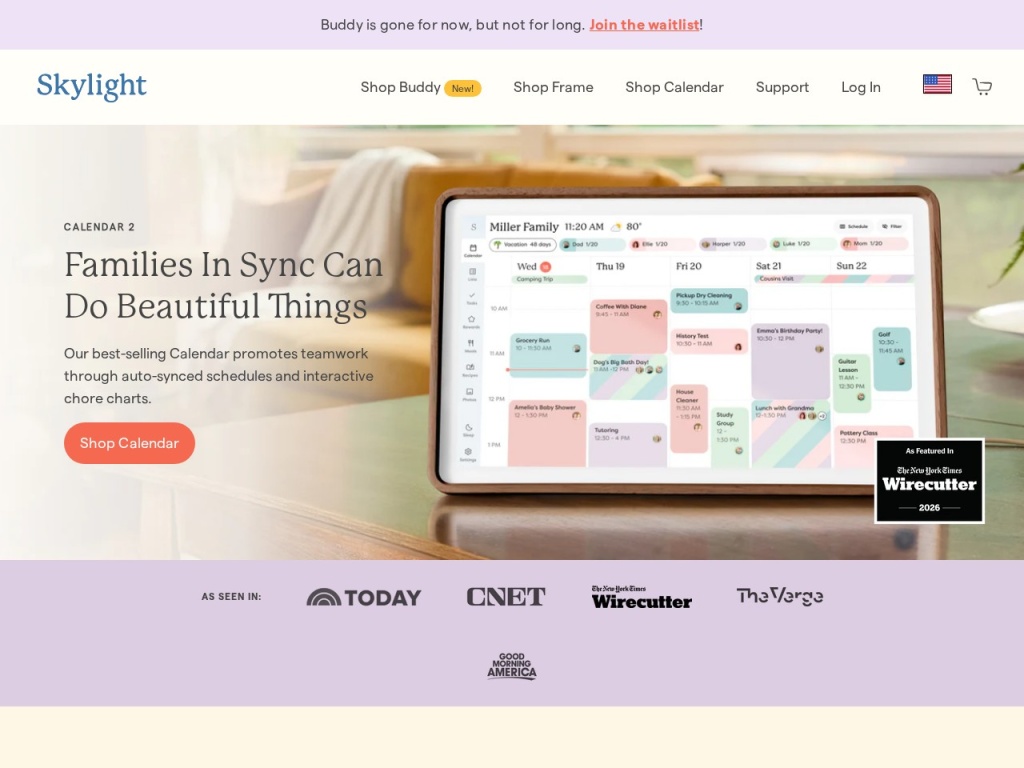
The premium benchmark is Skylight, whose Calendar built the mainstream category: polished software, strong ecosystem, chore and meal-planning features, and prices to match — often noticeably higher than ApoloSign for similar screen real estate, with a subscription unlocking the full experience. Hearth Display plays even further upmarket, styled as furniture with coaching-flavoured routines, at flagship-phone money. Cozi and other shared-calendar apps solve the software side free on the phones you already own, but they keep the schedule locked in pockets — the wall-visibility trick is precisely what they can’t do. The DIY route — an old iPad or Fire tablet on a wall mount running a calendar app — is the cheapest path and the most fragile: no family-first interface, screens that sleep, chargers that wander. Amazon’s Echo Show devices do calendars among a hundred other things, but a smart speaker’s screen never quite commits to the family-command-centre role. ApoloSign’s pitch lands between all of these: purpose-built calendar hardware like the premium brands, at pricing that undercuts them enough to forgive a younger brand’s rough edges.
Quality, shipping & support
Hardware-wise, ApoloSign’s displays sit in the solid-mainstream tier: decent IPS panels with wide viewing angles (important for a screen read from odd angles across a room), responsive-enough touch layers, and builds that feel appropriate to the price — tidy rather than luxurious. The portable TVs follow the same philosophy: sensible corners cut in the right places. Nothing we’ve seen suggests corner-cutting where it matters, but this is value-tier electronics, and expectations should be calibrated accordingly.
Shipping runs through standard e-commerce channels, with the brand selling directly from its site and through major marketplaces; delivery windows are typically in the normal several-days range for direct orders, subject to stock. Boxes include the essential mounting hardware and stands depending on model — double-check the listing for wall-mount specifics if your install plan depends on it.
Support is email-and-ticket territory, with the usual warranty coverage for defects in the first year — check the current terms at purchase. The longer-term question with any young smart-display brand is software: how long apps stay updated and services stay connected. There’s no red flag here, but it’s honest to say the category leaders have longer track records, and that’s part of what their premium buys.
What real customers say
Sentiment around ApoloSign’s calendars follows the pattern of the value tier done right: the loudest theme is surprise that the experience matches devices costing significantly more, with app syncing, screen quality and the sheer household impact of a wall schedule drawing consistent praise. Parents of school-age kids are the most enthusiastic cohort — the device seems to hit hardest where the scheduling chaos is thickest.
Criticisms cluster where you’d expect: occasional app quirks and sync hiccups that resolve with updates, setup friction for less technical households, and the odd complaint that a specific hoped-for feature belongs to a different model in the range. A minority report the classic category failure — the family stopped updating it — which says more about habits than hardware. As ever, treat recent reviews as more representative than launch-era ones, since software-driven products improve (or don’t) in public.

Who should buy — and who should not
Buy an ApoloSign calendar if your household runs on multiple overlapping schedules — two working parents, kids with activities, shared custody arrangements, multigenerational homes — and the current system is a group chat plus hope. It’s also the right call if you’ve been eyeing a Skylight but couldn’t justify the price: you get the substance of the category for materially less. The portable TVs make sense as second-screen utility purchases for kitchens, campers and garages.
Skip it if your family is small, your calendars already run frictionlessly on phones, or nobody but you will commit to using a shared system — hardware can’t fix a habits problem, and this purchase only pays off with household buy-in. Likewise, if you want the most polished software ecosystem money can buy and price is no object, the premium brands still hold that crown. And if you just want a dumb photo frame, buy a photo frame.
Honest limits
Full transparency on how we’ve reviewed this: our assessment draws on the brand’s published range, specifications and policies, category knowledge, and aggregated customer sentiment — not a multi-year live-in trial of every model. Smart-display products evolve quickly through firmware and app updates, so specific features, supported services and prices should be verified on the product page before you buy. Model availability shifts, and our price ranges are deliberately rough for that reason.

ApoloSign discount codes & deals
ApoloSign already undercuts the premium calendar brands, but the electronics category discounts aggressively — seasonal sales, bundle offers and marketplace promotions can knock a meaningful chunk off an already-reasonable price. Before you order, check our deals hub for verified ApoloSign codes and current offers. We verify listings regularly and prune dead codes, so what you see should actually work at checkout.
ApoloSign FAQ
Does the ApoloSign calendar sync with Google Calendar and other services? The calendars are built around syncing with the mainstream calendar services families already use, managed through the companion app. Check your specific model’s listing to confirm the services you rely on are supported.
Is there a subscription fee? ApoloSign’s core calendar functionality is positioned as working without a mandatory subscription — one of its advantages over some premium rivals. Verify the current terms for your model, since software policies in this category can evolve.
Can family members update the calendar from their phones? Yes — that’s the core loop. Events added through synced calendars or the app appear on the wall display, and changes made on the touchscreen flow back the other way.
How big is the display, and can it mount in portrait? The flagship calendars sit in the 15-inch-and-up class with larger options in the range, and mounting options vary by model — check the listing for portrait support and included wall hardware before planning your install.
Does it show photos when not in use? The calendars include an idle photo-frame mode, which keeps the screen earning its wall space between schedule checks. You manage the photo library through the app.
How does ApoloSign compare with Skylight? Broadly: similar core concept — wall-mounted, touch, synced family calendar — at a lower typical price, traded against Skylight’s longer track record and more polished ecosystem. For budget-conscious families, ApoloSign is the value play.
What’s the warranty? Expect standard consumer-electronics coverage for manufacturing defects, typically around a year, purchased direct or via major marketplaces. Keep your order confirmation and register the product if the option exists.
Reducing family scheduling chaos with a shared calendar system: a quick guide
A screen on the wall is the easy part; the system around it is what actually kills the chaos. Start by consolidating: one shared family calendar that every event goes into, with each person colour-coded, rather than five personal calendars loosely cross-invited. Adopt the capture rule — the moment a date exists (school email, dentist reminder, party invite), it goes in the calendar before the phone leaves your hand, because the schedule on the wall is only as trustworthy as its worst omission. Give the display the busiest sightline in the house and wire a weekly ritual around it: ten minutes on Sunday evening where the household walks the week ahead together, spots the collisions (two pickups, one car) while they’re still cheap to fix, and assigns the chores and meals for the week. Put recurring events in once and let repetition do the work — bin night, swimming lessons, custody handovers — and use the to-do lists for the non-timed stuff that otherwise lives on sticky notes. Most importantly, make the wall calendar the arbiter: if it’s not on the screen, it isn’t happening, and if it is, nobody gets to claim they weren’t told. Families that run this loop for a month rarely go back — not because the hardware is magic, but because everyone can finally see the same week at the same time.